
Caller id Changer Sec
call game secCommunication
2.8599.00 Reviews
- Version
- 7298
- Installs
- 500.00K
- Age Rating
- Everyone
Screenshots
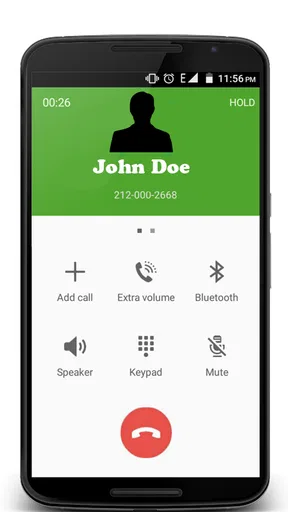
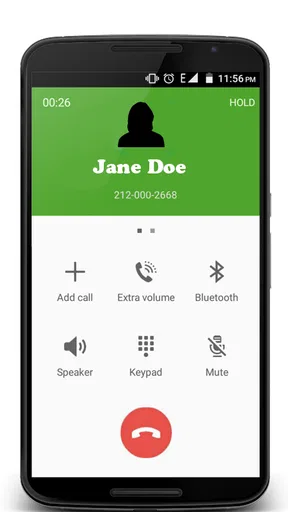
Our Review of Caller id Changer Sec
 Analysis by Appyee
I approached Caller id Changer Sec as a communication tool for situations where a phone may be used by more than one person, rather than as a normal replacement for the phone’s built-in caller screen. Its store summary describes it as a caller ID security buffer, while the short description presents it as a caller ID changer. That combination immediately sets the right expectation: this is a focused utility with a narrow purpose, and its value depends heavily on how carefully it is used.
In my experience, the interesting question is not simply whether the app can alter caller identification. The more useful question is whether that kind of flexibility makes sense in your household, on your device, and within the boundaries of honest communication. A shared phone, a spare handset, or a device used for coordinating errands can create awkward moments when several people need to understand who is calling or which identity a call is associated with. This app is aimed at that kind of unusual need, but it also requires more judgment than a conventional contacts or dialer application.
How Caller id Changer Sec fits into shared phone use
Imagine a household with one secondary phone that moves between adults during the day. One person uses it for deliveries, another takes it while arranging appointments, and a teenager may borrow it for a short call. In that situation, the main problem is often not making a call; it is keeping the device’s communication context clear. A caller may see an unexpected identity, while the person holding the phone may not know which presentation is intended for the next conversation.
This is where the app can be considered useful, but only with a simple household agreement. I would treat it as a tool for controlled presentation, not as a way to impersonate someone. Before using it, the people sharing the device should decide who is allowed to change the caller ID setting, when a change is appropriate, and how the current setting will be communicated to everyone else. That small conversation prevents the app from becoming a source of confusion.
A realistic example would be a shared handset kept at home for coordinating maintenance visits. An adult might prepare the phone for a call connected with a particular household contact, then return the device to its usual state afterward. The benefit is organizational: the phone has a clear purpose for that moment. The risk is that another person may pick it up without realizing the presentation was changed. I would therefore avoid leaving the device in a modified state when handing it to someone else.
The strongest household use is temporary coordination, not permanent identity switching. That distinction matters. If several people need reliable personal calling identities every day, separate user accounts, individual devices, or a standard dialer with shared contacts will usually be easier to understand. This app becomes more relevant when the phone itself has a special, limited role and the people using it can coordinate directly.
What I would check before changing anything
My first step would be to identify the device owner and the person responsible for communication settings. On a shared handset, that should be one clearly agreed adult rather than whoever happens to open the app first. I would also write down the normal caller ID arrangement before experimenting, because restoring a familiar setup is much easier when everyone knows what “normal” means.
The app is free to install, but it includes in-app purchases priced from around ten dollars to around fifty dollars per item. That makes it especially important to understand what you are selecting before confirming any purchase. For a household that only needs occasional coordination, paying for an advanced option may not make sense. I would test the basic workflow carefully and consider whether the same goal can be met through a regular phone setting or a separate communication account.
Another practical boundary is to keep the app away from casual browsing by children. The content rating is Everyone, which makes the app broadly accessible from an age-label perspective, but that should not be confused with a recommendation that every child manage caller identity independently. The issue is not merely technical maturity. It is understanding consent, honesty, and the consequences of presenting a call as if it came from another person.
Setup is less about tapping and more about agreeing on a routine
The current version is 7298, and the app supports devices running Android 8.0 or later. Those details make it suitable for many older Android phones still used as spare or household devices. Even so, compatibility is only the beginning. A phone that is technically supported can still be a poor fit if it is shared without a clear handoff routine.
I would set up the app while the device is in the hands of the person who will manage it most often. After that, I would show the other regular users what the phone is currently configured to do, without assuming they will remember every detail. A small note near the charging area can be surprisingly helpful: it can identify the phone’s normal purpose and remind users to check the current calling setup before making an important call.
I would also avoid changing settings immediately before an urgent conversation. A better workflow is to prepare the device in advance, confirm the intended presentation, make the call, and then return the phone to its agreed default. This creates a clear beginning and end. Without that final reset, the next person may unknowingly continue using the previous configuration.
One non-obvious trade-off is that convenience can reduce accountability. A shared device makes it easy to adjust the presentation, but it can become difficult to reconstruct who changed what if several people use it. For that reason, I would keep a basic household rule: only one designated person changes the setting, and every change is announced to the other regular users. That rule is more valuable than any clever workflow inside the app.
Coordination works best when the app is only one part of the plan
Caller ID alone is not a complete coordination system. If a family member is waiting for a call, they still need to know which phone is being used, who is handling the conversation, and what the caller should expect. I would pair the app with ordinary methods such as a shared contact label, a written note, or a message sent before the call. Those simple steps reduce the chance that someone mistakes a changed presentation for a different person.
For a shared household phone, I would create a short handoff routine. The person finishing a call should tell the next user whether the device is back in its normal state. If the app was used for a special purpose, the reason should be stated plainly. This is particularly useful when the phone is passed between adults who are coordinating deliveries, school arrangements, or appointments while moving around the house.
There is also a useful distinction between incoming and outgoing communication. A household may want to recognize a call connected with a shared activity, but the caller may still need to know exactly which person they are speaking with. I would never rely on a changed caller presentation to supply that context. The person answering should identify themselves honestly, especially when the conversation involves money, medical matters, school matters, or access to an account.
Compared with a standard contacts app, this tool offers a more specialized form of control but far less everyday clarity. Contacts apps are better for organizing names, numbers, and relationships. Compared with a conventional dialer, this app is less suitable for routine calling because a normal dialer keeps the user’s identity and call history easier to understand. Compared with a messaging service, it does not replace the written record and explicit identity that a text conversation can provide.
That comparison helped me define its place. I would use it only when the caller presentation itself is part of a narrowly defined workflow. If your real problem is remembering which family member should answer, a shared calendar, a contact label, or a group message is likely to help more. If your problem is separating work and personal calls, a second number or separate account is generally a cleaner boundary than repeatedly changing caller information.
Age, trust, and the difference between access and responsibility
The Everyone rating may make the app appear suitable for a broad audience, but shared access still needs supervision. I would be comfortable with an older child seeing the app as part of a household device only after explaining why caller identity matters. I would not give a young user unrestricted control simply because the application itself carries an Everyone label.
The central lesson is trust. A child might think changing caller identification is harmless experimentation, while the recipient may interpret it as a genuine signal about who is calling. That gap between intention and interpretation can create problems quickly. A household should make clear that the app is not for pranks, disguising a call, bypassing a person’s expectations, or contacting someone under another individual’s identity.
For teenagers, the most useful approach would be supervised participation in a legitimate shared-device routine. They could learn how the household phone is organized, how to announce a change, and how to restore the normal setup. That teaches responsible communication without turning the tool into a secretive object. I would also make it clear that an adult remains responsible for purchases and configuration decisions.
The developer is listed as call game sec. That name does not tell me how the app should be used in a family, so I would judge the product by its actual role and by the household rules surrounding it. I would not assume that a store rating or an age label can replace direct guidance. The average rating is 2.8 from around five thousand ratings, with around six hundred written reviews, which suggests that user experiences are mixed enough to justify a cautious trial rather than blind reliance.
Privacy and account boundaries deserve attention
On a shared device, the most important boundary is often not the app’s interface but the phone’s overall account structure. I would avoid mixing one person’s personal contacts, call history, and communication habits with another person’s routine unless everyone understands that the handset is shared. If the phone is used for sensitive personal calls, a separate device is safer and simpler.
I would also keep purchases under the account of the responsible adult. Because individual in-app items can cost from about ten dollars to about fifty dollars, accidental taps or misunderstandings could be expensive. Before allowing a child or guest to use the phone, I would confirm that purchase approval is handled by the device owner and that the user knows not to explore paid options casually.
Another practical tip is to separate experimentation from real conversations. If you want to understand how the app behaves, do it with people who know you are testing, and do not involve a business, service provider, or unsuspecting contact. That approach protects trust and gives you a chance to see whether the workflow is understandable before it affects an important call.
I would also remember that changing how a call appears does not erase the need for responsible communication. It does not make a shared phone private, and it does not turn a household handset into a secure account boundary. Anyone who needs dependable separation between identities should choose a solution designed around separate accounts or numbers instead of treating this app as a substitute.
Who will appreciate it, and who should skip it
I can see a use for this app among technically confident adults managing a spare Android phone, a temporary household line, or a tightly coordinated communication task. It may also suit someone who understands exactly why a caller presentation needs to be adjusted and who can restore the normal configuration after use. The app’s free entry point makes a cautious evaluation possible, provided the purchase screen is treated carefully.
I would skip it if you want a simple family phone that anyone can pick up without explanation. I would also skip it if your main goal is caller screening, contact organization, spam protection, or a reliable record of who made each call. Those needs are better served by ordinary communication tools that emphasize stable identity and clear history.
It is not the right choice for a child who wants to experiment privately, for a household where people do not communicate about device changes, or for anyone expecting a caller ID changer to provide anonymity. It is also a poor fit when the phone is used for sensitive work or personal matters and several people share the same account environment. In those cases, separate devices or accounts create a much clearer line between users.
The app’s installation base is over half a million, so it is not an obscure experiment with no audience. Still, popularity does not remove the need for careful handling. The relatively modest average rating reinforces my view that this is a specialized utility whose success depends on the user’s situation, not a universally useful communication upgrade.
My household verdict after weighing convenience against clarity
My final view is cautious but not dismissive. Caller id Changer Sec can make sense on a shared or secondary Android phone when one responsible adult manages the settings, every user understands the current configuration, and each call has a legitimate, clearly explained purpose. In that narrow setting, its flexibility may help coordinate a temporary communication task.
For ordinary household calling, however, I would choose a standard dialer, a well-organized contacts list, or separate accounts. Those alternatives are less ambiguous and easier for children, guests, and occasional users to understand. The app asks you to create your own boundaries, and that is both its strength and its weakness.
If you decide to try it, begin with a non-sensitive test, keep the device owner in control of purchases, announce every change, and restore the agreed default after the call. Do not use a changed caller presentation to mislead someone. With those limits in place, the app can serve as a small coordination tool rather than becoming a source of household mistrust.
In short, I would recommend it only to a reader who has a specific shared-device scenario and is willing to manage the social side as carefully as the technical side. If that describes your home, the free installation is worth evaluating on a compatible phone running Android 8.0 or later. If you simply want dependable, transparent communication between family members, a conventional alternative will probably leave everyone more comfortable.
Verdict
Strengths of Caller id Changer Sec
- Quickly changes the caller ID shown for supported outgoing calls.
- Simple interface makes the main feature easy to find and use.
- Useful for separating personal and business calling identities.
- May offer privacy benefits when you do not want to reveal your number.
- Lightweight design should not require much storage space.
Limitations of Caller id Changer Sec
- Caller ID changes may depend on carrier, country, and network support.
- Some features may require credits, subscriptions, or additional payments.
- The recipient’s carrier may still display your real number or block the call.
- Misuse could violate local laws or telecom provider terms of service.
- Call quality and reliability can vary with internet or service availability.
Similar Picks in This Category
View All
Google Messages
Google LLC4.6

Gmail
Google LLC4.1

Google Meet
Google LLC4.4

Google Chrome
Google LLC4.1

WhatsApp Messenger
WhatsApp LLC4.6

Carrier Services
Google LLC4.2
Frequently Asked Questions
What is Caller id Changer Sec and what does it do?
Caller id Changer Sec is designed to modify or disguise the caller ID displayed when making calls, depending on the supported features, network conditions, and local regulations. Before downloading, users should understand that caller ID manipulation may not work with every carrier or phone model. The app may also provide additional calling or privacy-related tools, but its exact capabilities can vary by country and service availability.
Can Caller id Changer Sec really change my phone number on every call?
No application can guarantee that caller ID will be changed successfully on every call. The result depends on your mobile carrier, internet or calling service, device permissions, and the destination network. Some calls may show a different number, a private label, or the original caller ID instead. You should test the app carefully and review its limitations before relying on it for important or sensitive communications.
Is using Caller id Changer Sec legal and safe?
The legality of changing or disguising caller ID differs significantly between countries and circumstances. Using the feature for impersonation, harassment, fraud, threats, or misleading emergency services can be illegal and may lead to serious consequences. Use the app only for lawful purposes, respect other people’s privacy, and check your local telecommunications rules. Also review the app’s privacy policy before granting access to contacts, calls, microphones, or other personal data.
What permissions and information might Caller id Changer Sec require?
Depending on how the application operates, it may request access to the microphone, phone functions, contacts, notifications, storage, or an internet connection. These permissions can be necessary for calling features, but they may also involve sensitive personal information. During installation, examine each permission request instead of approving everything automatically. If a permission seems unrelated to the advertised function, consider denying it or choosing another application with clearer privacy practices.
Does Caller id Changer Sec cost money, and are there any limitations?
The application may be free to install while offering paid credits, subscriptions, advertisements, or usage limits for certain calling features. Costs can depend on the selected destination, call duration, available credits, and your country. Before using the service, check the current pricing shown in the app store and inside the application. Also review subscription renewal terms, refund policies, and whether unused credits expire, so you are not surprised by additional charges.
